
Primo unifies MDM, device purchasing, and HR sync in one platform — simplifying IT operations across every OS


Modern MDM that gives IT full control with half the effort


One connected IT ecosystem that runs itself
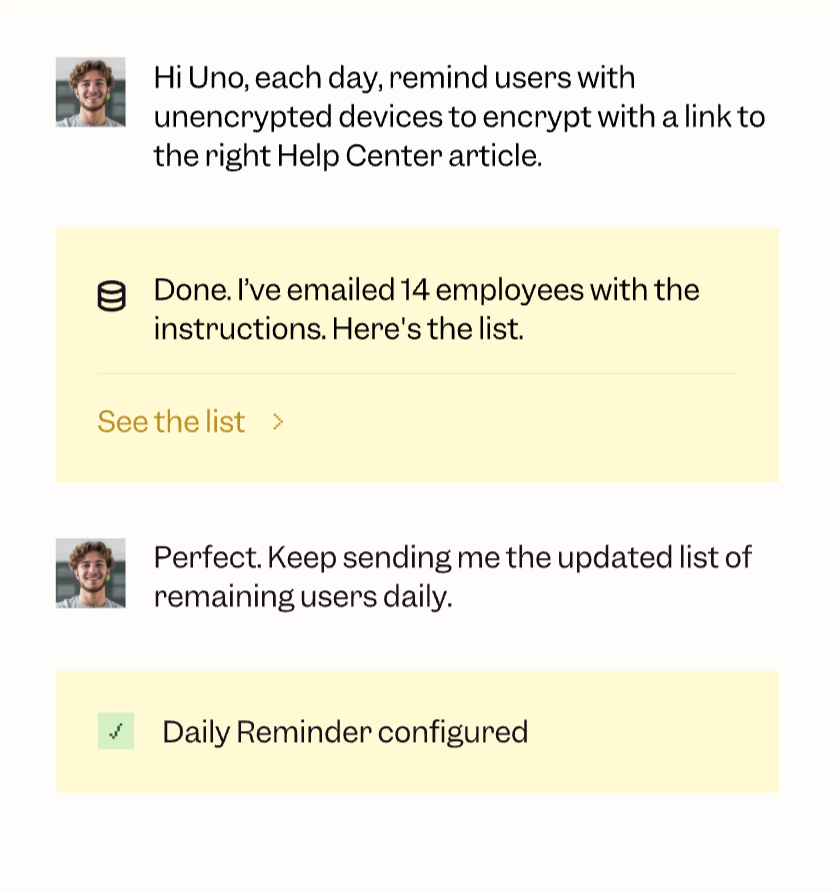
Reinventing IT with Uno AI. Automate what matters, intelligently
The Primo Impact
Primo replaces 4+ tools with one centralized place that pays for itself in weeks.
Up to 80% fewer tasks
50% quicker provisioning
65% faster issue detection
80% of customers switch within 2 weeks
15% average cost savings
90% faster audit readiness
Adopted by IT. Backed by HR.
Used by 15,000+ employees.

“Primo is our new secret weapon for welcoming our new talents and managing our employees. Primo has become essential to help Faume grow rapidly, allowing us to save valuable time and effort.”


"We rolled out Primo’s MDM across our fleet of 250 devices six months ago, and it’s been a great and smooth experience. It significantly streamlined my daily work and saved me a considerable amount of time."

"We were looking for a comprehensive tool to give us a 360° view of our IT fleet, and we're delighted to have found Primo, which meets our expectations and those of our employees with an all-in-one platform that's getting better every day."

FAQs
Learn everything about Primo and the most frequently asked questions. If you can't find an answer that you are looking for, feel free to drop us a line.
Mobile device management (MDM) is software that allows IT teams to centrally manage and secure laptops, smartphones, and tablets across an organization. With MDM, companies can enforce security rules, push apps and updates, monitor devices in real time, and remotely lock or wipe lost or stolen equipment. It’s a key tool for protecting company data and ensuring compliance across your entire device fleet.
MDM is designed to give IT teams full visibility and control over their device fleet. With Primo MDM, you can:
- Enforce company policies like passcode requirements, disk encryption, and app blacklisting.
- Configure device settings, install software, and roll out updates remotely.
- Locate, lock, or wipe a device if it’s lost or stolen.
- Automate onboarding and offboarding workflows so devices are set up (or cleaned) in just a few clicks.
- Ensure compliance with internal standards and external regulations like ISO 27001 or GDPR.
When choosing an MDM, here are the main factors to consider:
- Cross-platform support: Make sure your MDM works with all the devices you manage—macOS, Windows, Linux, Android, and iOS.
- Security capabilities: Look for features like remote wipe, FileVault/BitLocker enforcement, admin rights control, and app whitelisting.
- Growth readiness: Your MDM should scale easily with your company, whether you're onboarding 5 devices or 500.
- Integrations: Choose a solution that connects with your existing stack—HR systems, SSO providers, endpoint protection, and procurement workflows. Primo, for example, bridges device management with HR data to automate setup and permissions.
- Ease of use: A clean interface and clear workflows save your IT team hours every week. Look for tools with a central dashboard and actionable insights.
- Transparent pricing: Understand whether pricing is per device, per user, or feature-based. Primo offers flat monthly pricing with no surprise fees.
BYOD (Bring Your Own Device) allows employees to use personal devices for work. Primo supports BYOD scenarios by applying lightweight security and compliance rules without taking full control of the device. That means employees keep their privacy, while IT ensures business data stays protected.
Yes. Primo fully supports zero-touch deployment via Apple Business Manager. Devices can be pre-configured and shipped directly to employees—when they turn them on, they’re automatically enrolled into your MDM with the right apps, settings, and restrictions applied.
Absolutely. Primo integrates with Windows Autopilot to streamline device provisioning in 40+ countries. Just define your setup templates—Primo handles the configuration and shipping so your team can focus on what matters.